
09 Nov 2026
Workflows
Workflows show how your documents are processed on one screen: input (API, Inbox upload and mailboxes), splitting and classification, extraction per document type, and who checks the results.
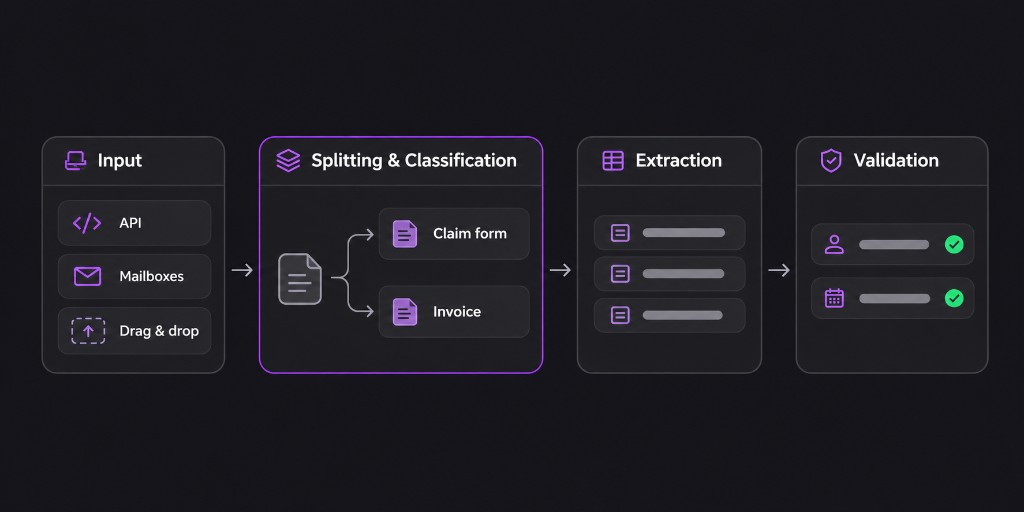
Document types, document classifiers and workflows now sit together under the new menu Document settings. Each one opens in its own editor.
You can create workflows under Document settings > Workflows. Document types and classifiers stay as they are. A workflow uses them, and one classifier can be used in several workflows. To use a workflow through the API, send its workflowId with the upload-and-analyse call. When uploading via drag and drop in the Inbox, you can now choose a workflow or pick Direct extraction to extract right away with a classifier or a document type.
Existing integrations work as before: we automatically created a legacy workflow for each existing setup.
What's new
New features are now announced in the app. You'll see a short message the first time you log in after a release.