
04 Mar 2026
Recap
It’s been a while since our last product update, and a lot has changed in Skwiz.
Over the past months, we’ve focused on one main goal: making document processing easier for business users to configure, review and improve.
Here’s a recap of what we’ve rolled out (more details below):
Easier setup and configuration:
- Redesigned web app
- Automatic document type setup from just a few example documents
Smarter document understanding:
- Improved classification with layout matching
- Extraction of Excel files
Faster review and continuous learning:
- Continuous learning from corrected documents
- Smart apply for faster table corrections
- Validation rules for added control
Redesigned web app
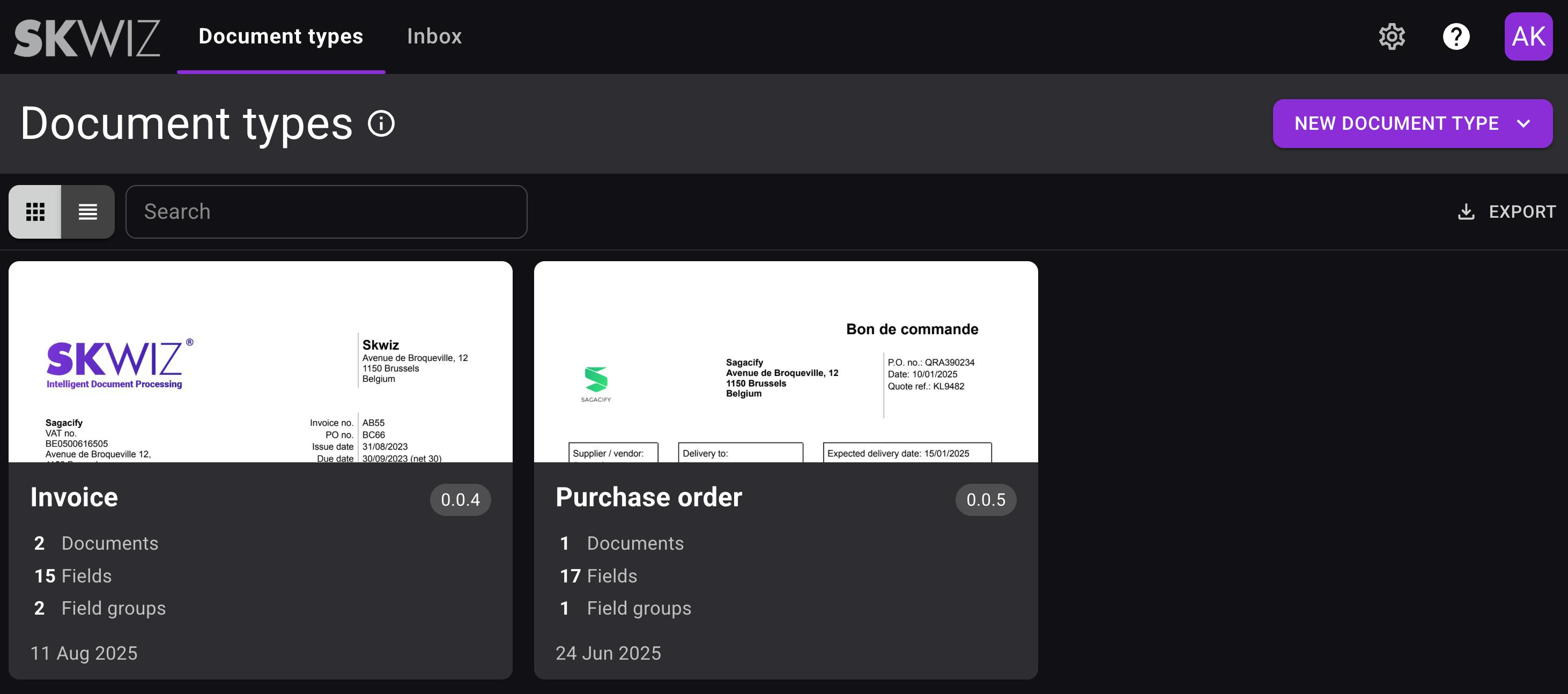
We redesigned the web application to make it easier for business users to configure and manage document types.
To simplify the setup experience, we centralized configuration in one place and merged the former Model Studio and document type setup into a single document type configuration flow.
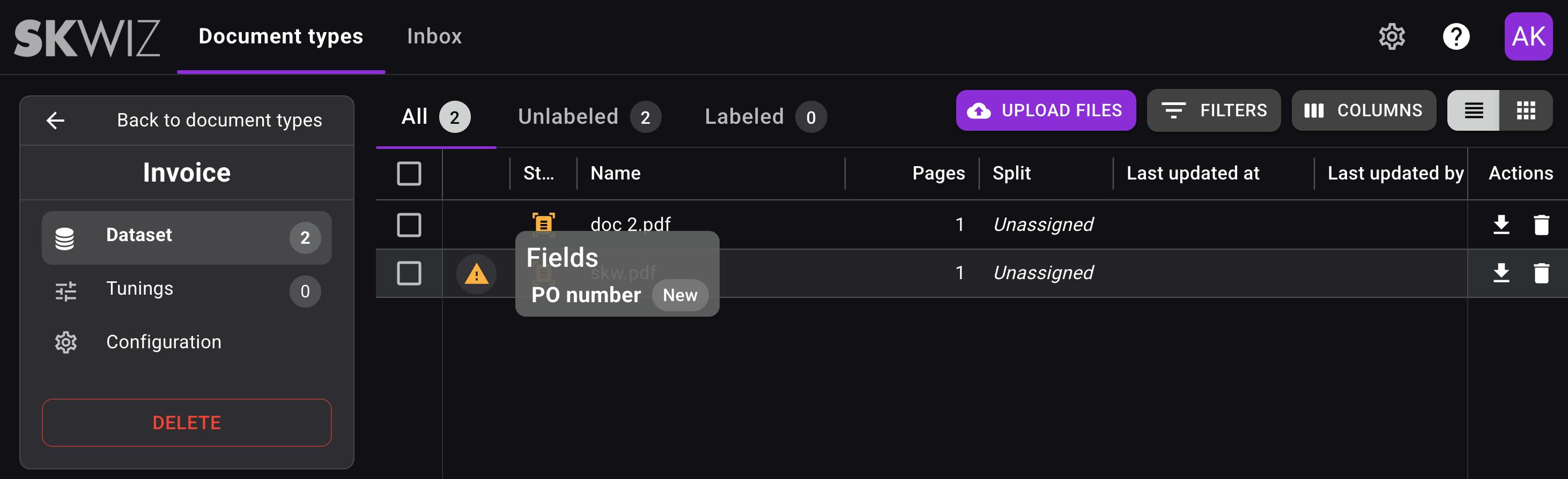
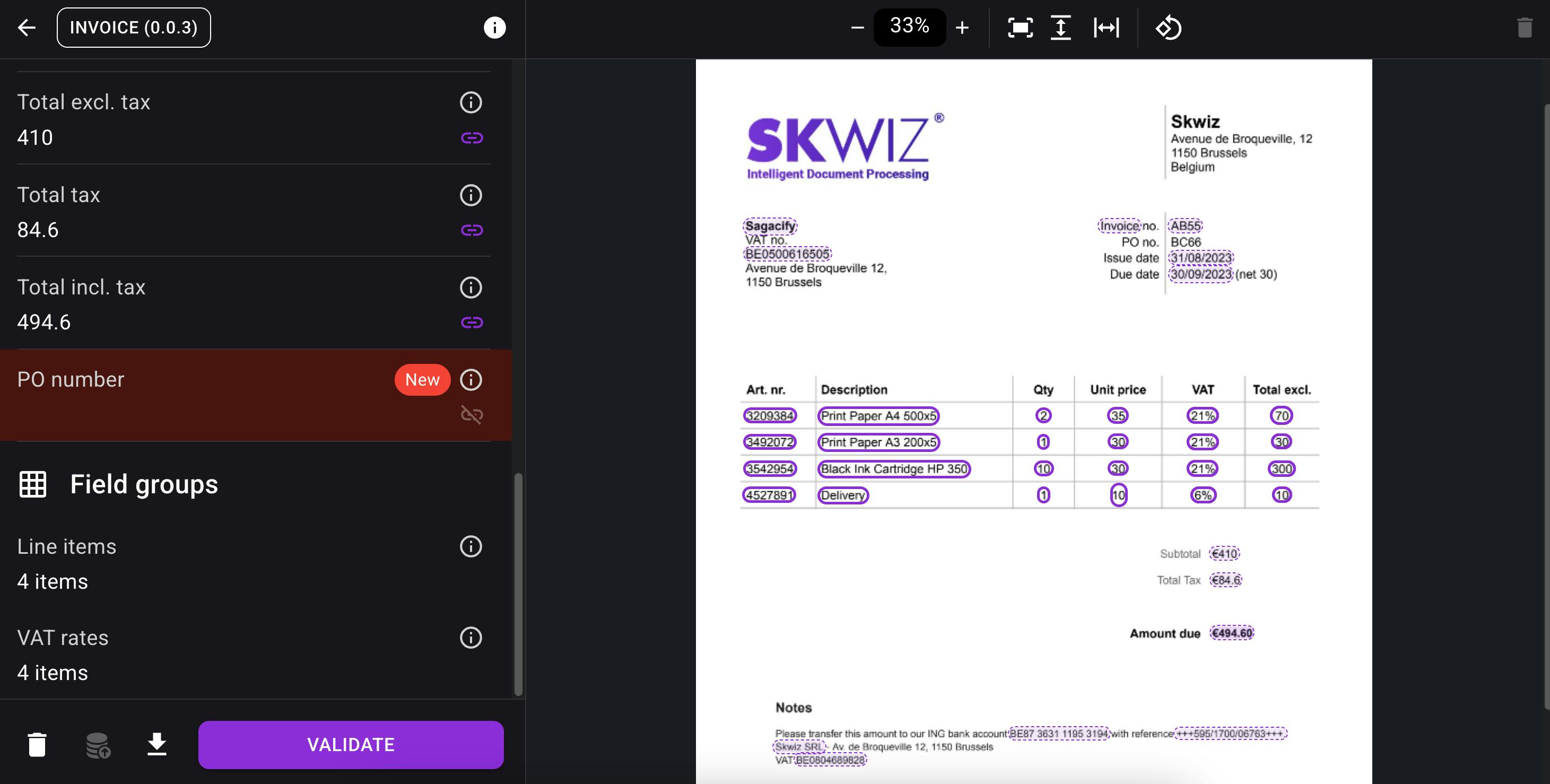
You can now also update your document type configuration by adding or modifying fields. Documents that were extracted or validated with a previous configuration are flagged so users can clearly review what changed.
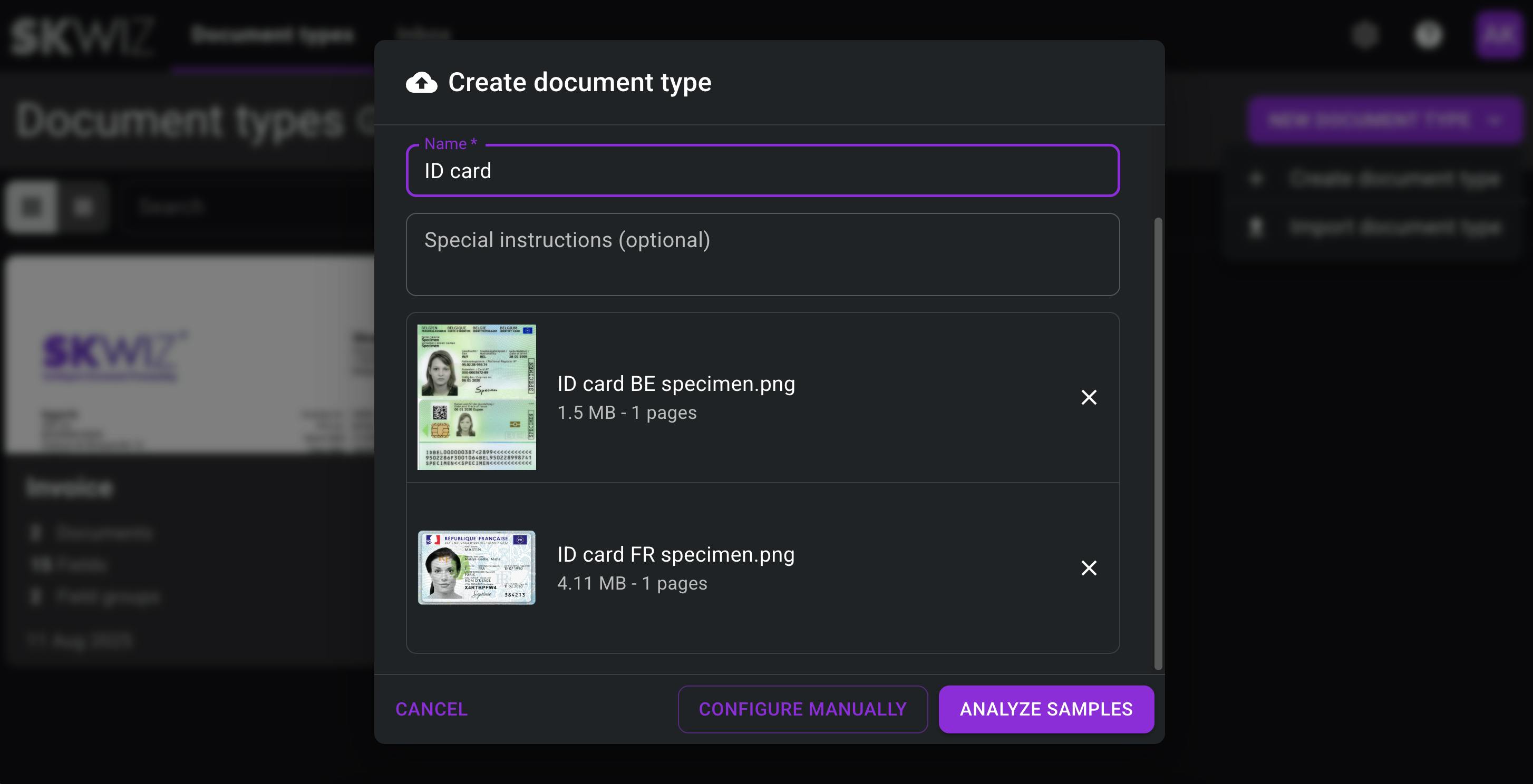
Automatic document type setup
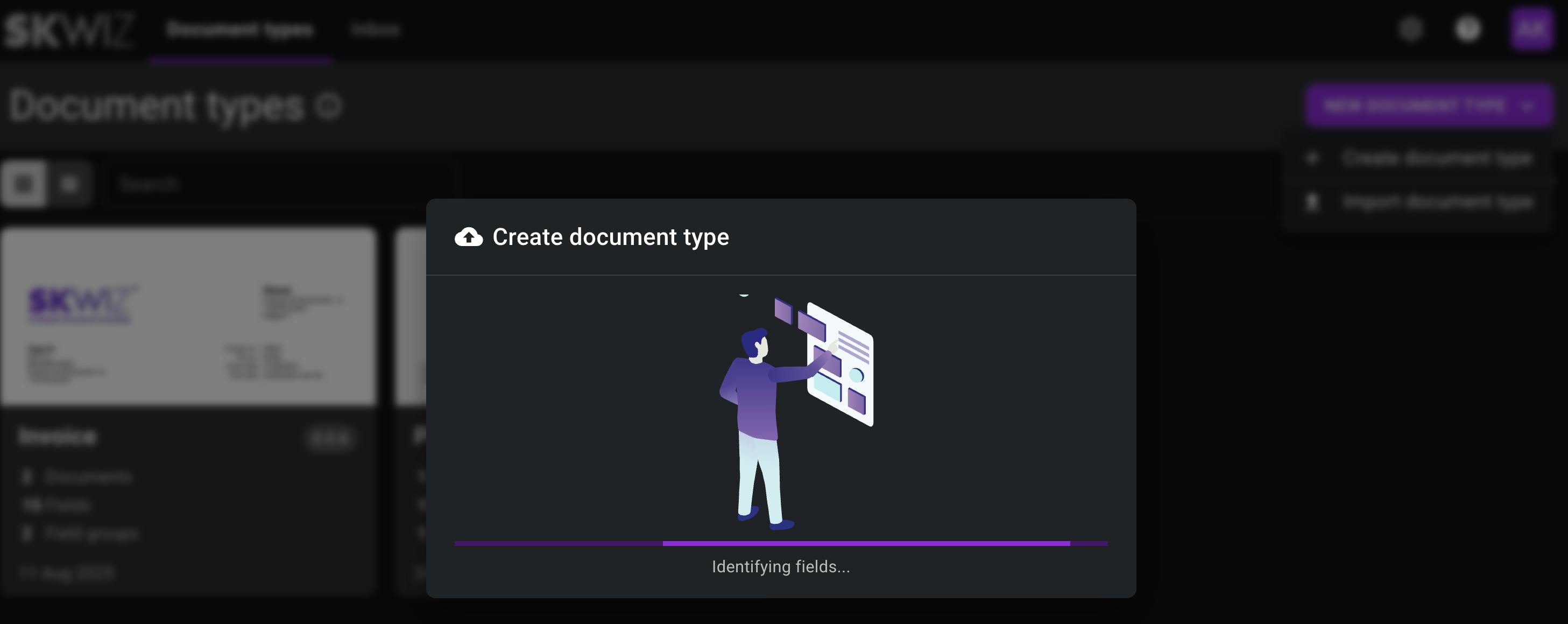
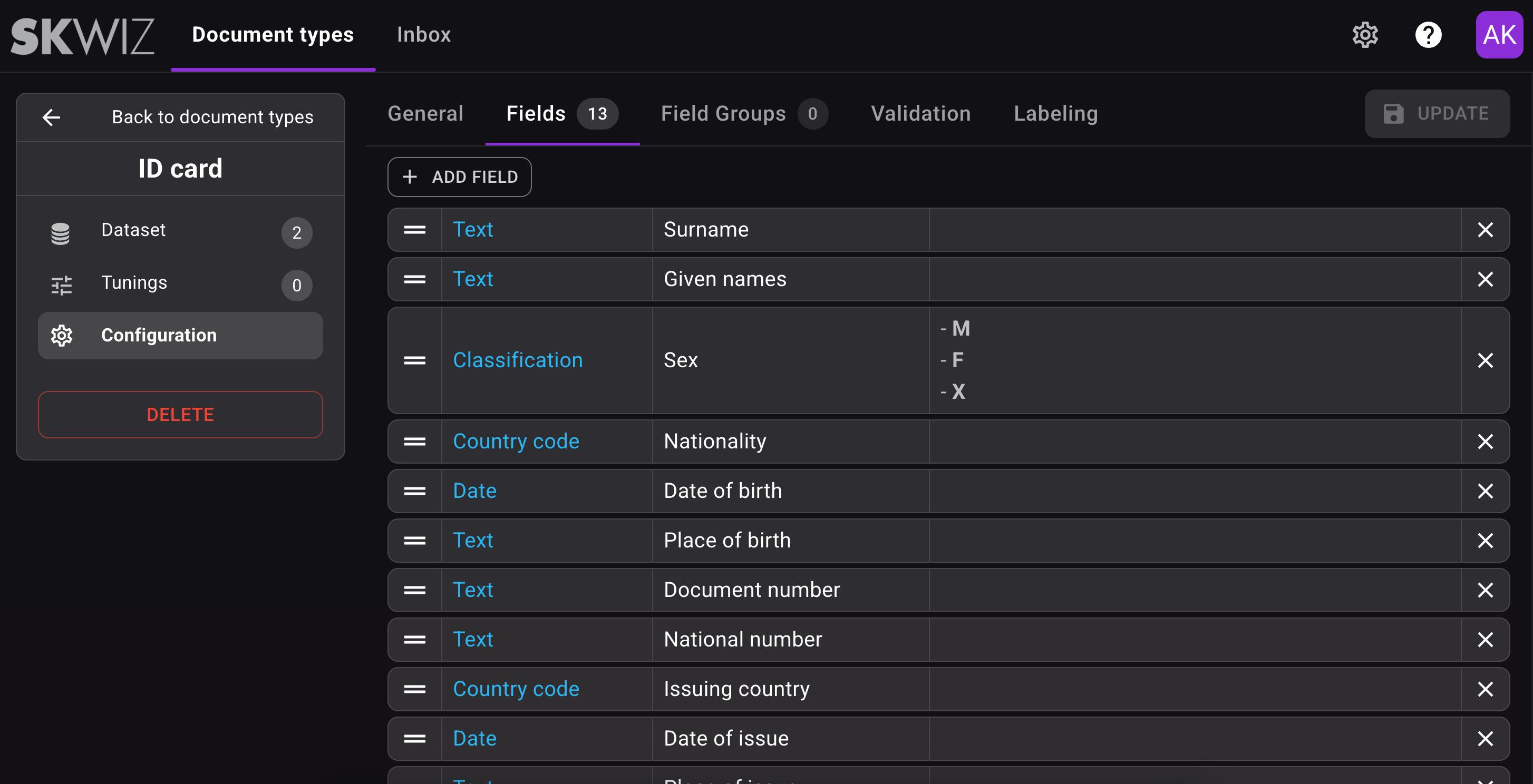
You can now upload up to 3 example documents and let Skwiz automatically propose the fields and field groups to extract, including their data types.
This makes it much faster to get started with a new document type and reduces the amount of manual setup required.
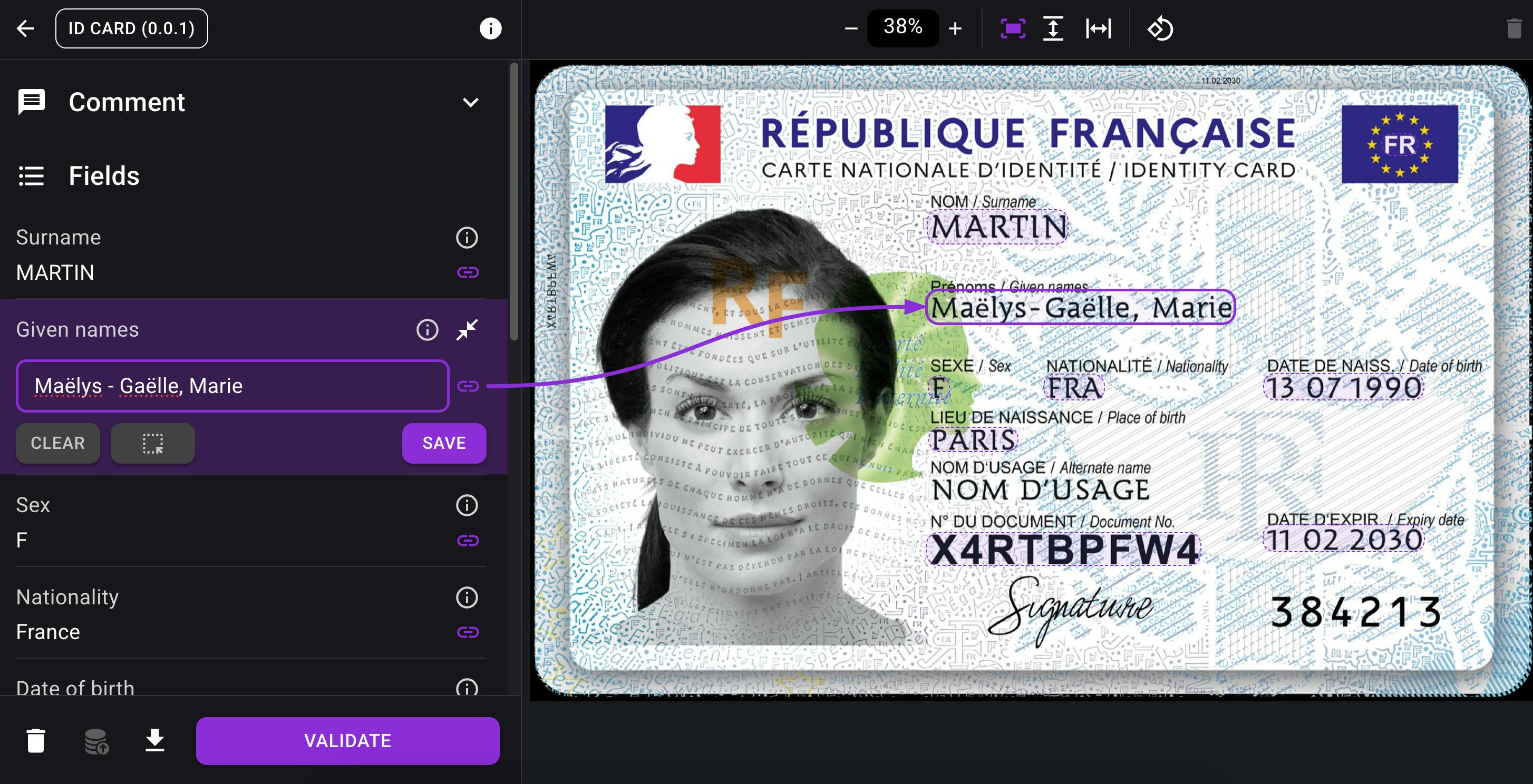
The fields configuration can be refined at any time:
Classification through layout matching
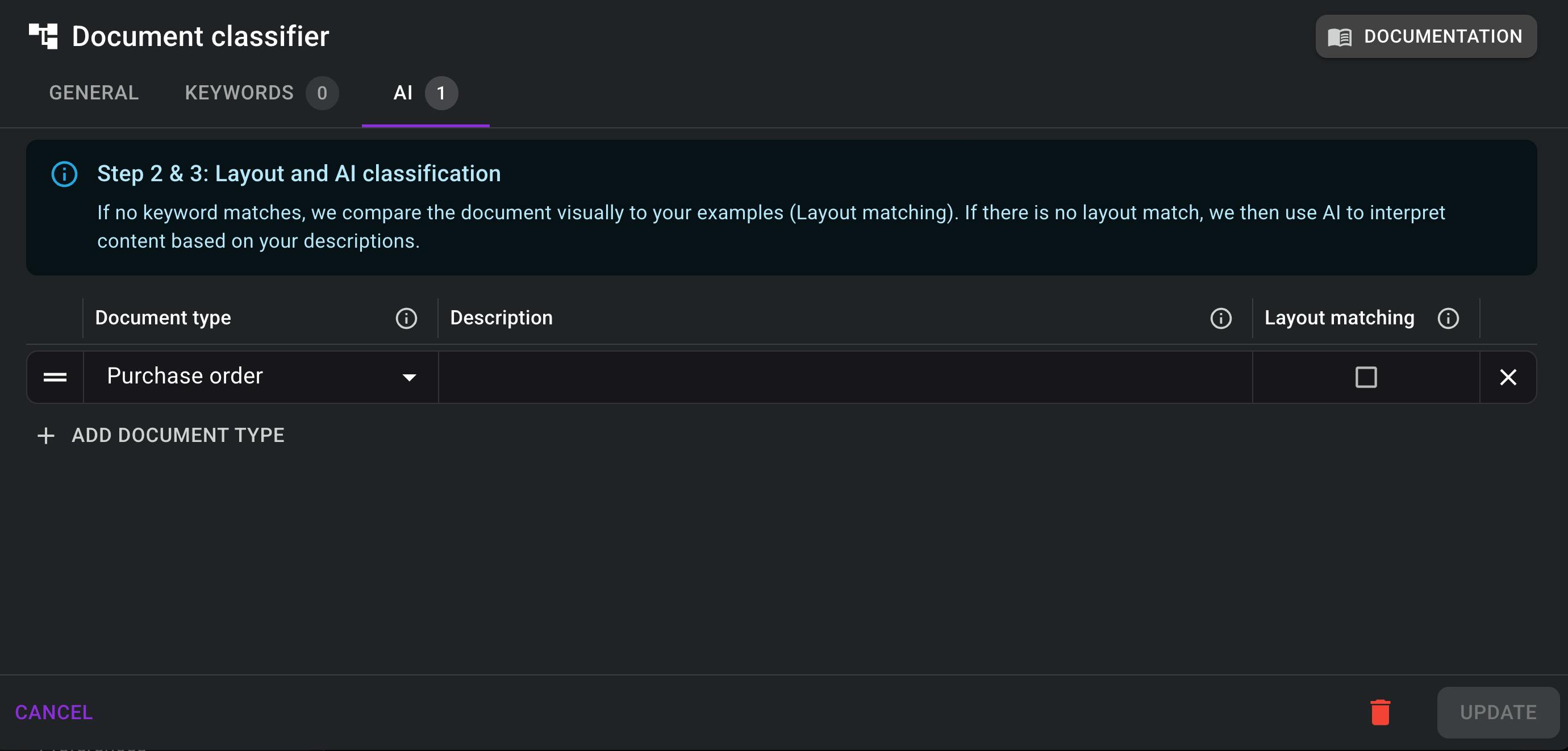
We further improved document type classification by adding layout matching.
With layout matching enabled, Skwiz checks whether an incoming document is similar to documents already present in the datasets of your configured document types, both visually and in terms of overall content and structure. If a strong match is found, that document type is selected.
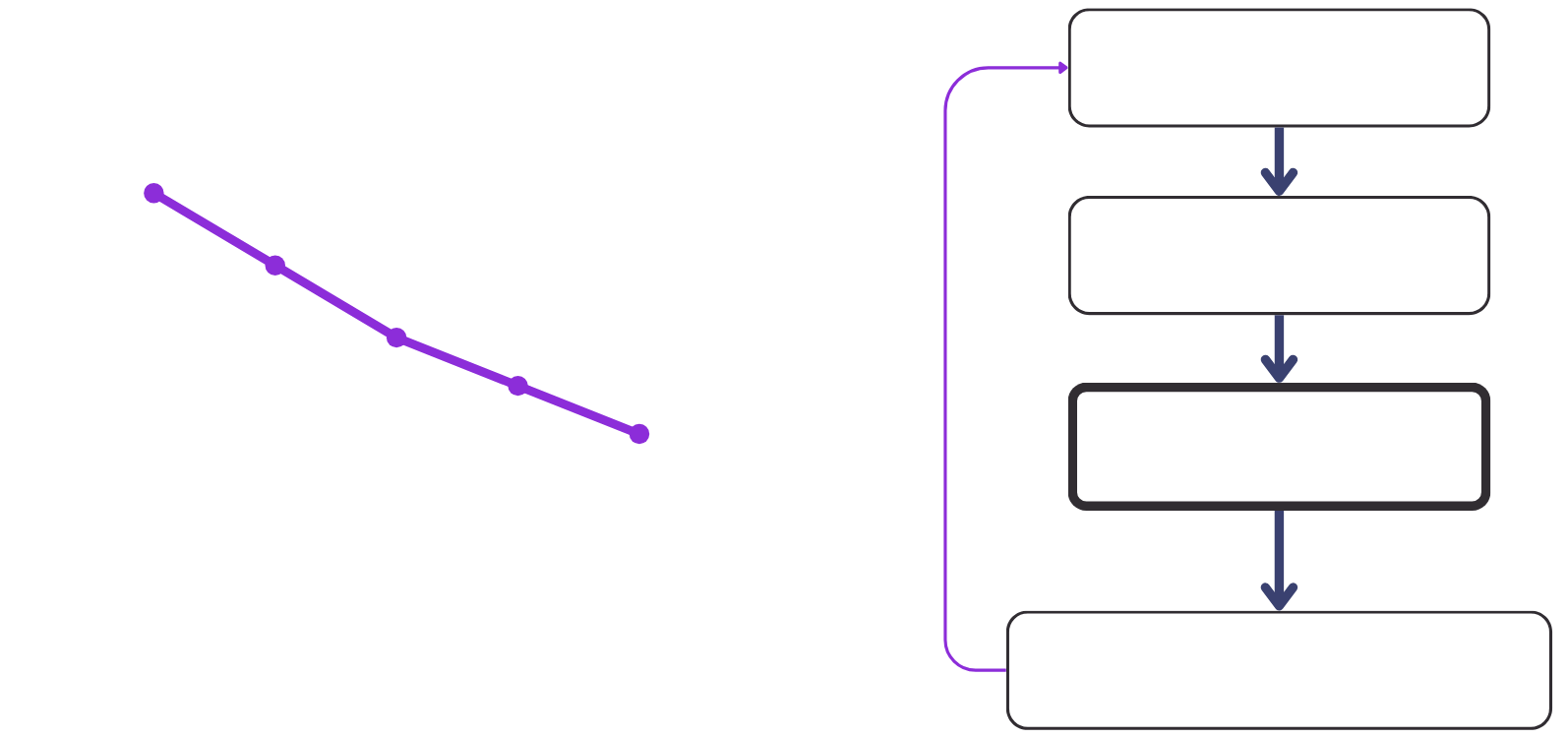
Classification is now performed in 3 consecutive steps:
- Keyword matching (if keywords are configured): if there is a match, classification stops here. We recommend using keyword matching only when a document type contains highly specific wording that is unlikely to appear in other document types.
- Layout matching (if enabled): if a similar document is found, classification stops here.
- Decision by AI: if no keyword or layout match is found, Skwiz interprets the content of the document and matches it to a document type based on the document type names and descriptions.
Extraction of Excel files
Skwiz now also supports extraction from Excel files for field groups.
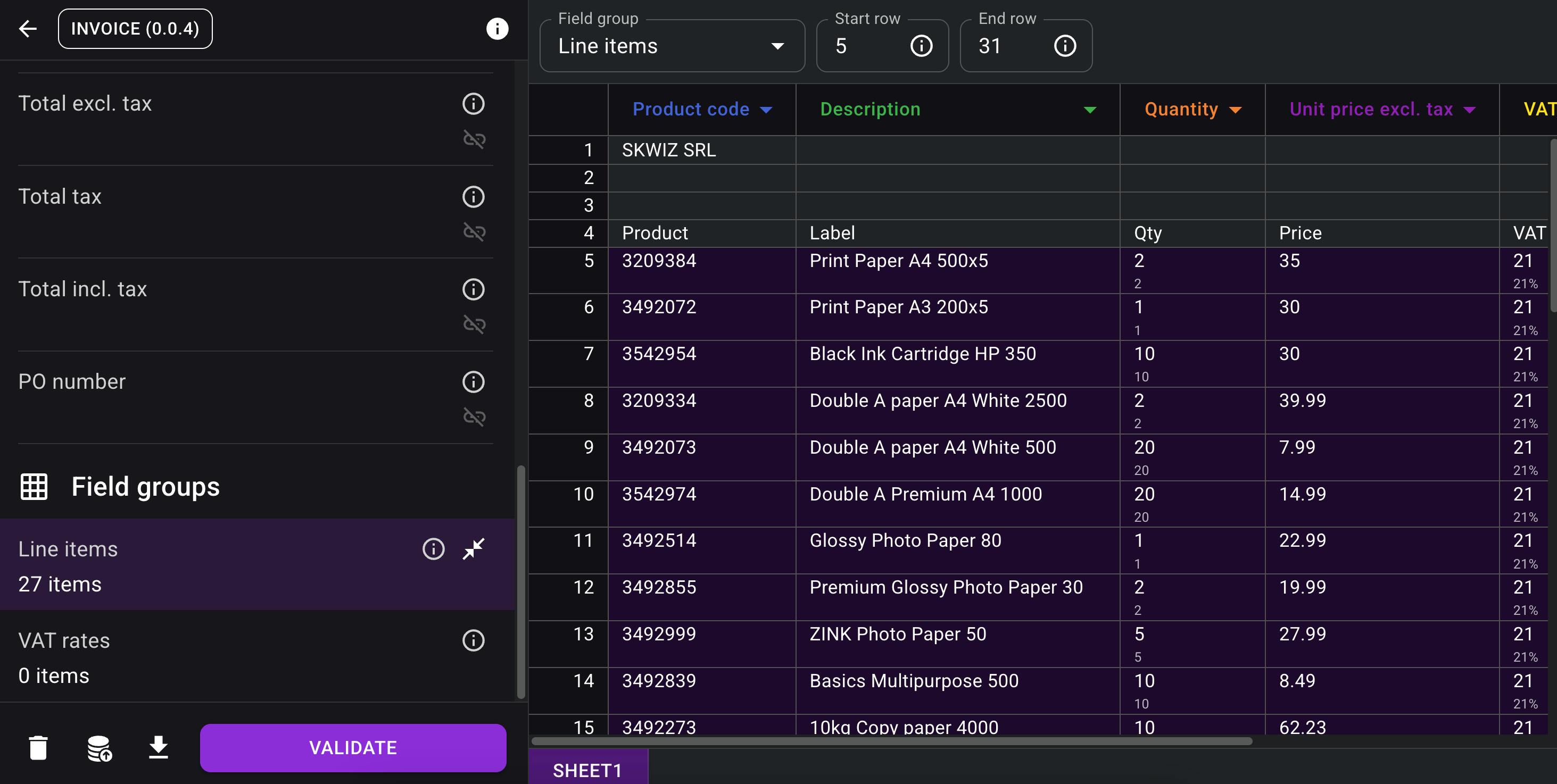
The model automatically determines which columns correspond to the configured fields in your field groups and identifies which rows should be ignored. See in the below an example of an excel file where each column is identified, and lines 1 to 4 are correctly excluded.
Continuous learning
Continuous learning makes it possible to improve extraction performance automatically based on user corrections.
You can configure how much manual review is required before those corrections are used:
- Learn automatically: corrections immediately improve the model. Recommended only for teams with very high confidence in the quality of their corrections.
- Learn with review: corrections are saved to the dataset, but not applied immediately. A user must explicitly review and confirm them in the dataset before they are used. This generally leads to the best label quality, but can slow down learning.
- Manual: corrected documents can only be manually imported to the dataset.
- Off
We generally recommend starting with Learn with review to ensure labels are validated twice before they affect extraction quality.
Smart apply for faster table corrections
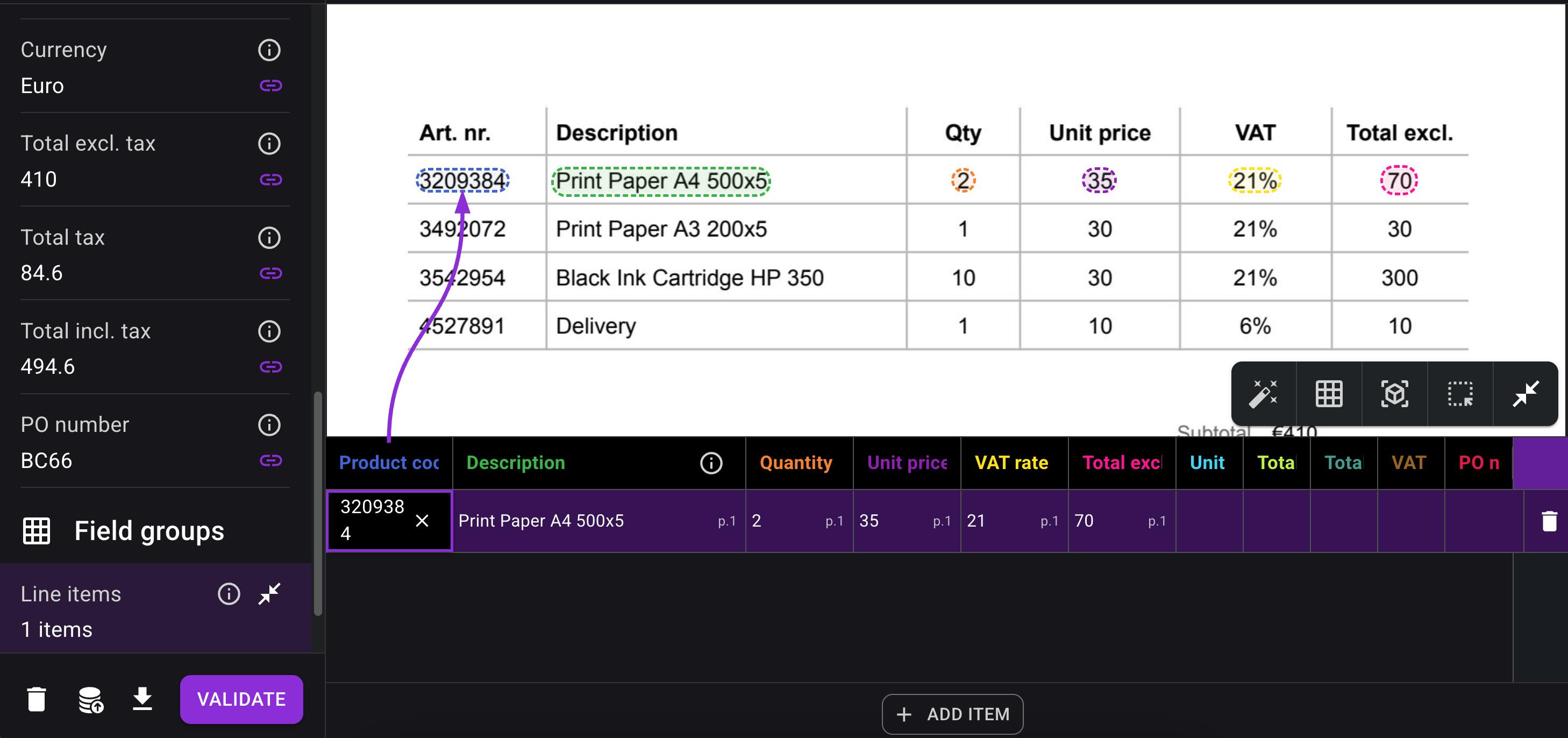
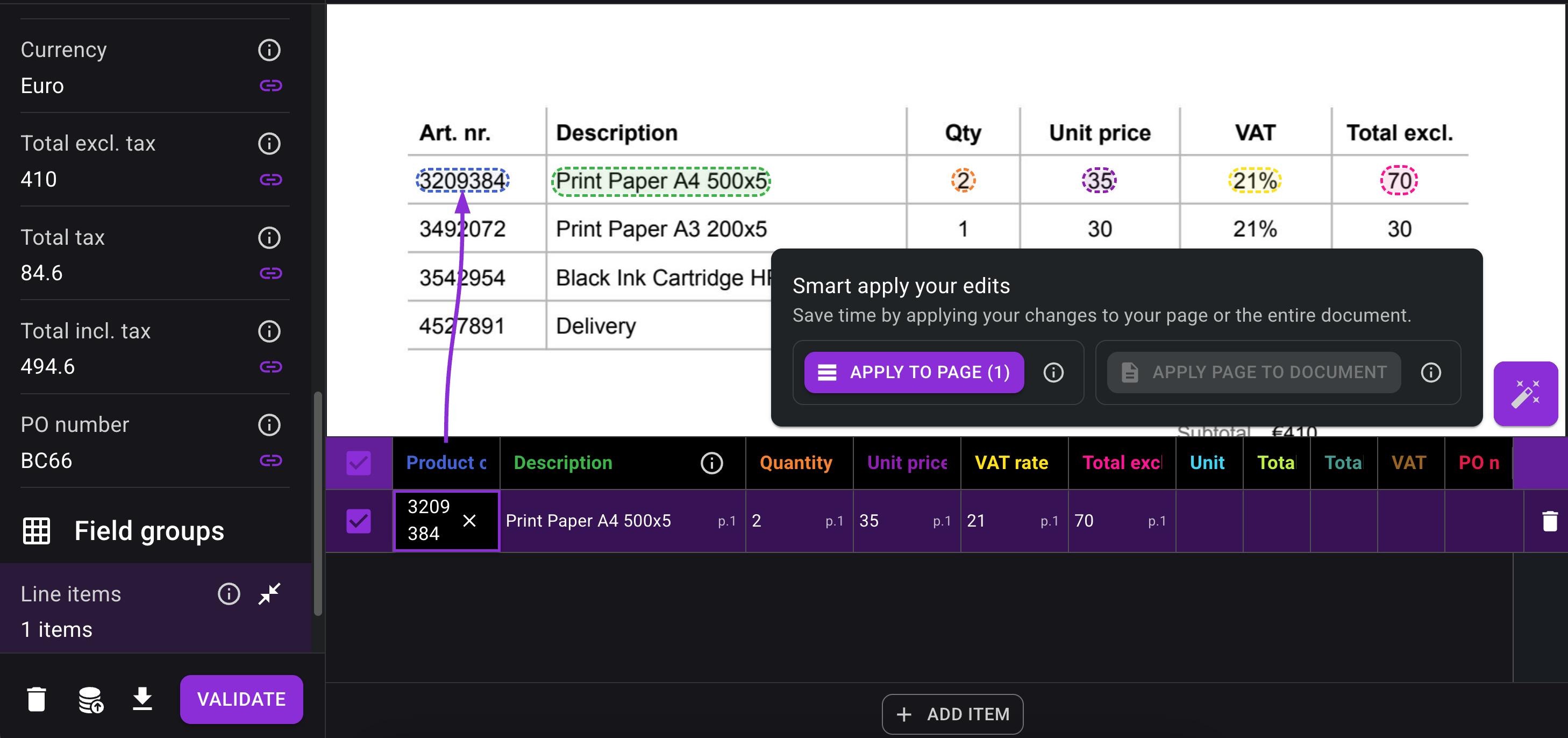
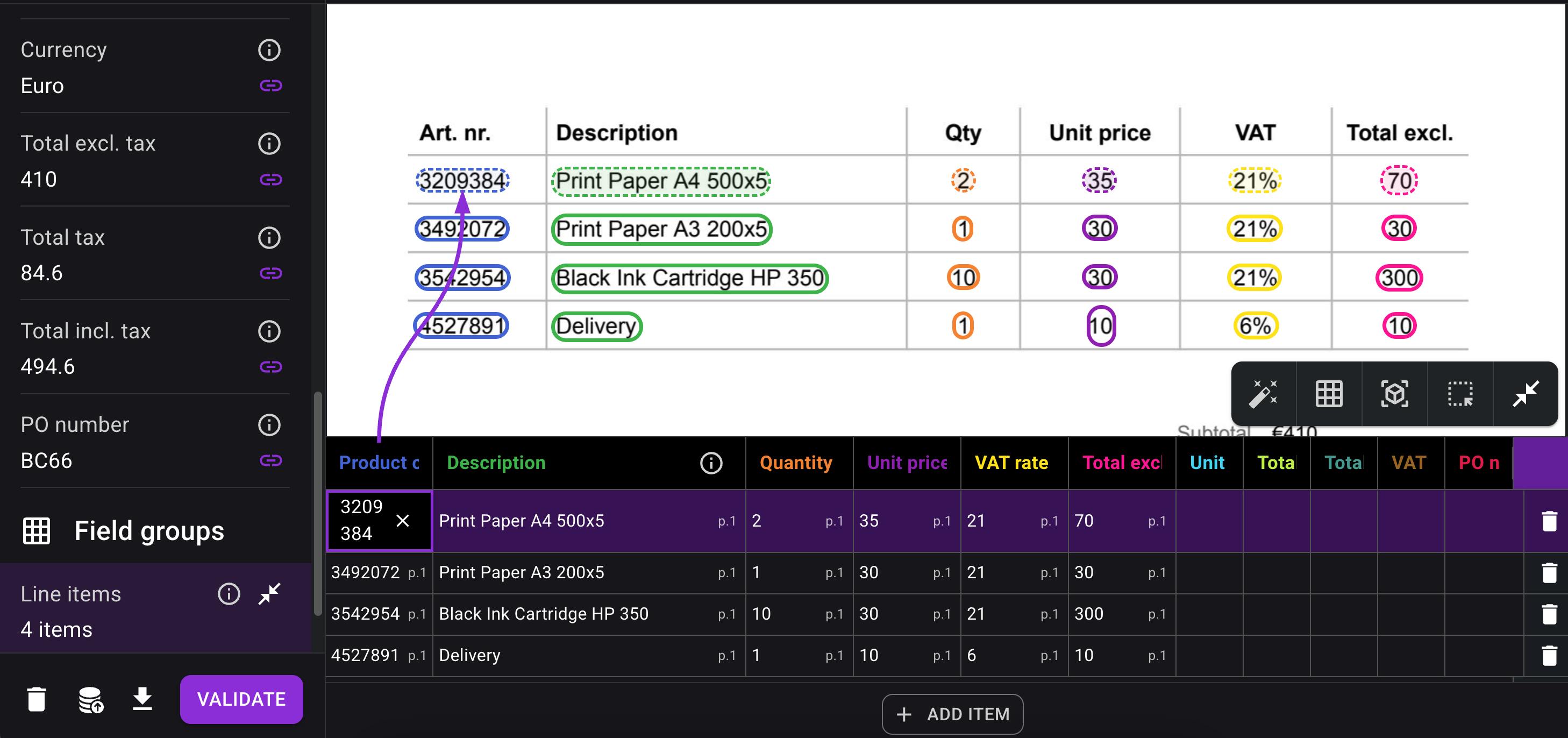
Correcting tables is now much faster with Smart apply.
Instead of manually updating each line one by one, users can correct a single line and apply that correction to the rest of the table where relevant.
Validation rules for added control
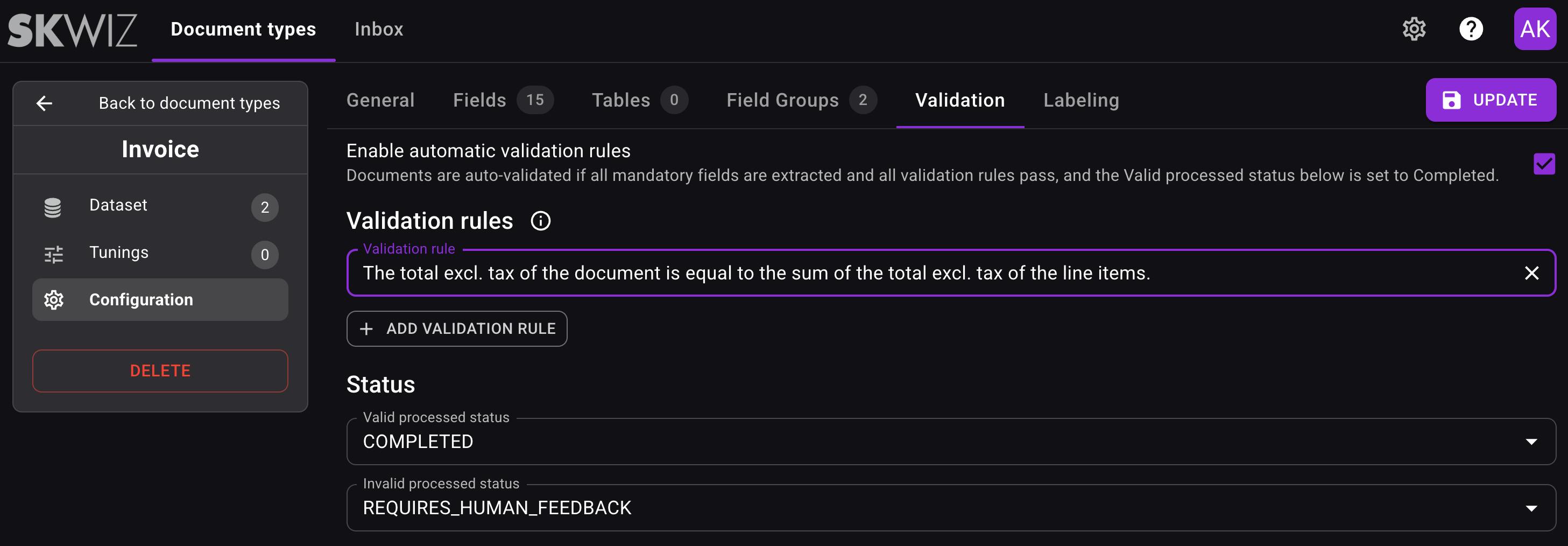
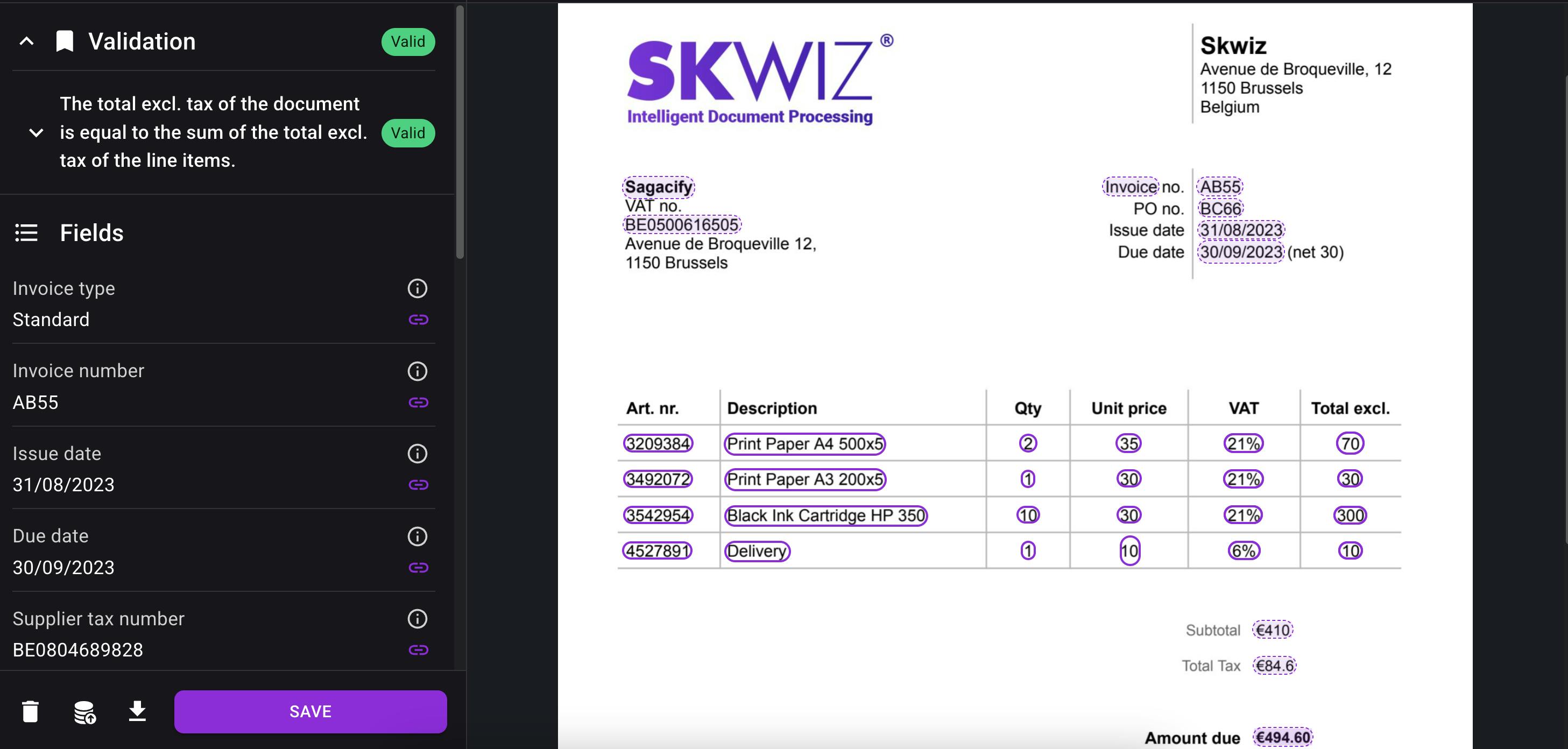
You can now configure validation rules to add another layer of control to document review workflows. These rules are validated by a generative AI model.
Validation rules make it easier to check whether extracted data meets the expected business logic and help users focus their attention where it is most needed. Documents can be automatically completed or flagged for manual review if one of the validation rules is not met based on the configured valid and invalid processed statuses.
Other changes
- Invoice to UBL: upload your invoice and receive a Peppol-compliant e-invoice in UBL format. This can help support outbound e-invoicing compliance.
- Authentication through OAuth 2.0