
05 Jul 2023
Launch
Introduction
Skwiz enables you to extract data from any type of document with the use of large language models (LLMs) like ChatGPT. These LLMs have the capacity to understand and generate natural language, enabling very precise extractions and allowing simpler and more enjoyable ways to work with documents, in virtually any language. This further results in shorter and less costly setups in comparison to traditional rule-based or machine learning approaches as it mitigates the need for extensive training data and time-consuming manual labelling.
This first version of Skwiz aims to provide a radically simple flow to set up your document types autonomously within minutes, while still providing you with the flexibility to influence the quality of the extractions. We dedicated a great deal of attention to the extraction of tables, as their content is often critical and manually entering this data takes up much of the time of those who handle these documents.
In addition, we added a validation step and API to seamlessly fit Skwiz into your existing business workflows.
Onboarding flow
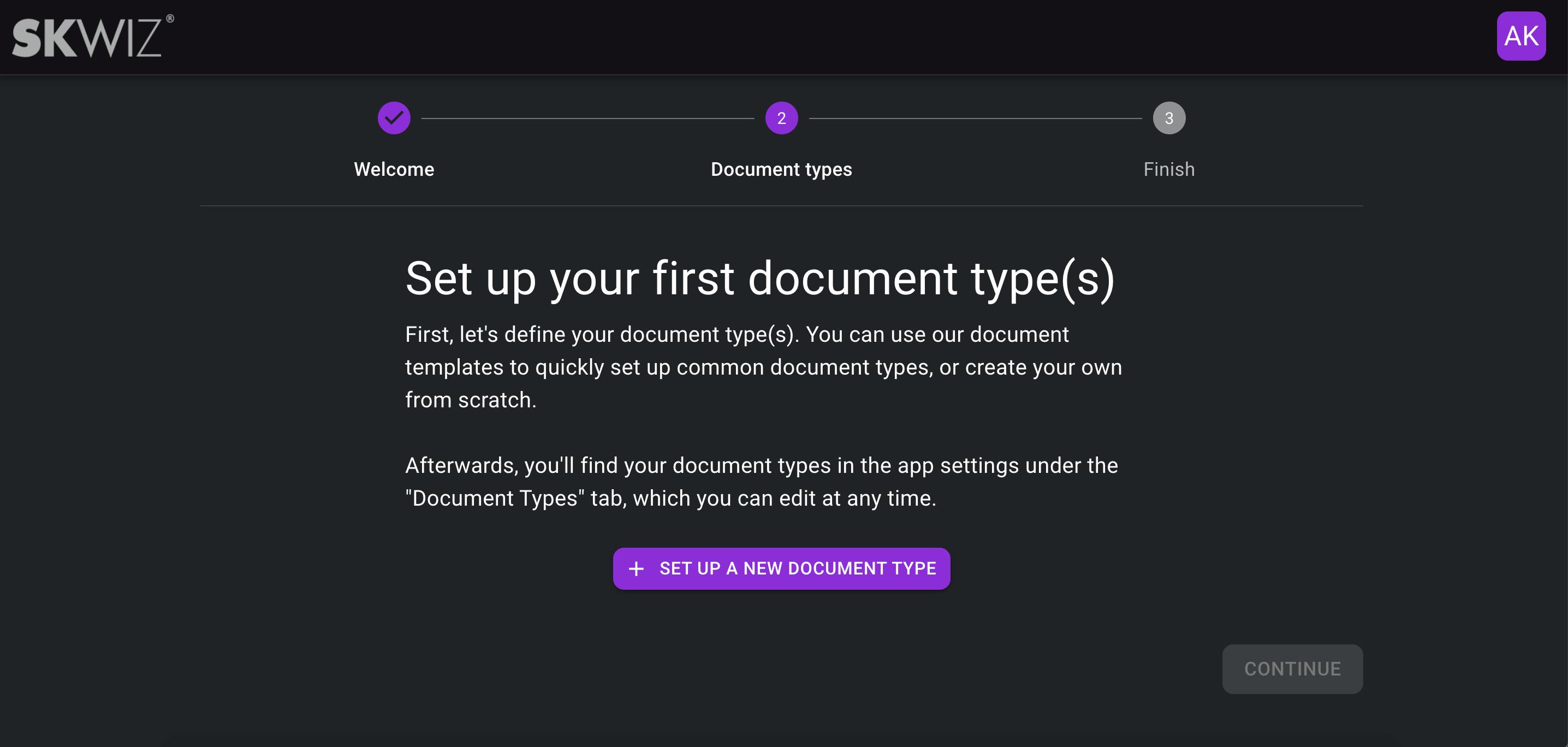
The onboarding flow will guide you, as a new user, to define your first document type with minimal guidance and will introduce you to the document templates.
Document type definition
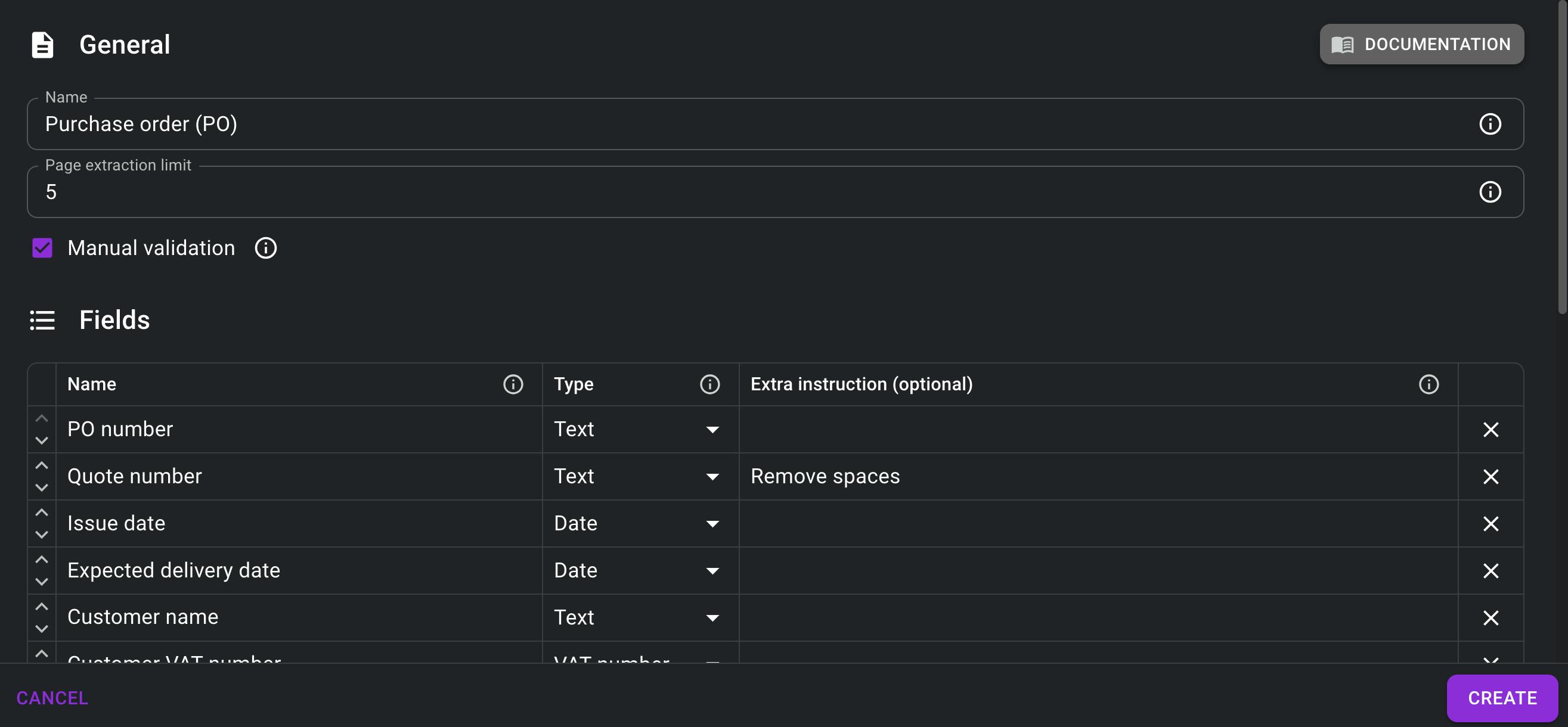
The core configuration in Skwiz: defining the document type, fields and extra instructions that will drive the extraction. You can define regular fields as well as fields that need to be extracted from line item tables. We’ve added tooltips and documentation to guide users in getting the most out of Skwiz.
Document templates
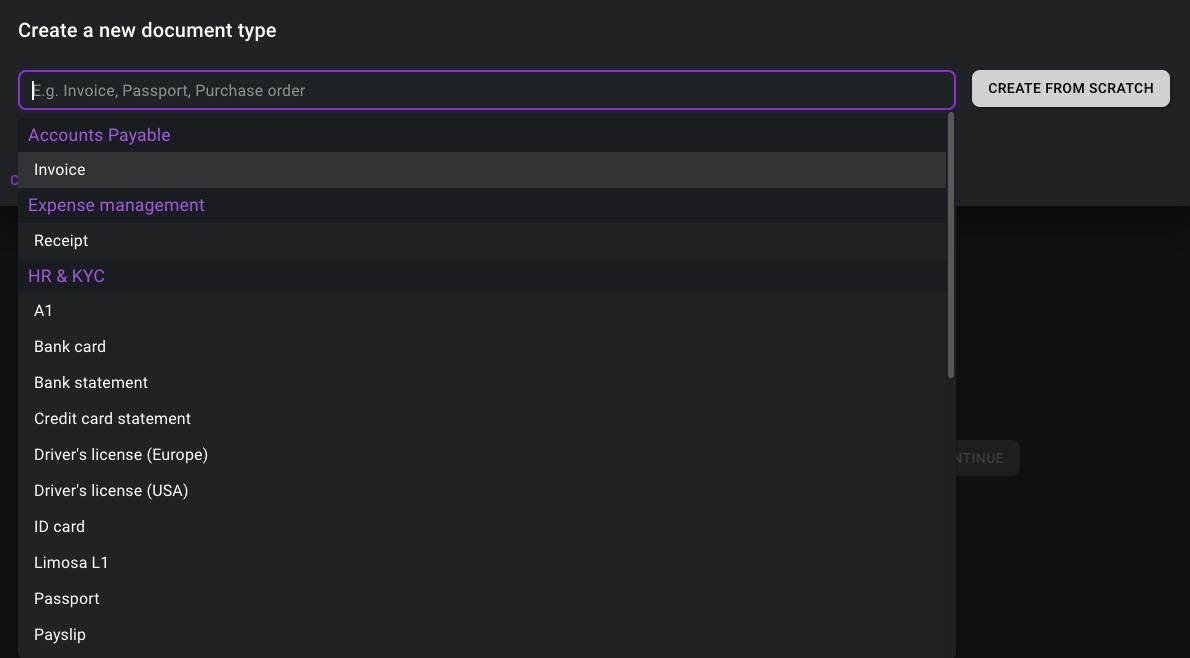
Our document templates propose configurations for common document types like purchase orders, invoices or ID cards. These templates can be fully customized by adding or removing fields and writing instructions that better fit your specific documents. Highly structured documents that always contain the same information like ID cards, passports or driver’s licenses can directly be used as is. Alternatively, users can create their own document types from scratch when handling less common document types that are not yet included in the templates.
Document overview
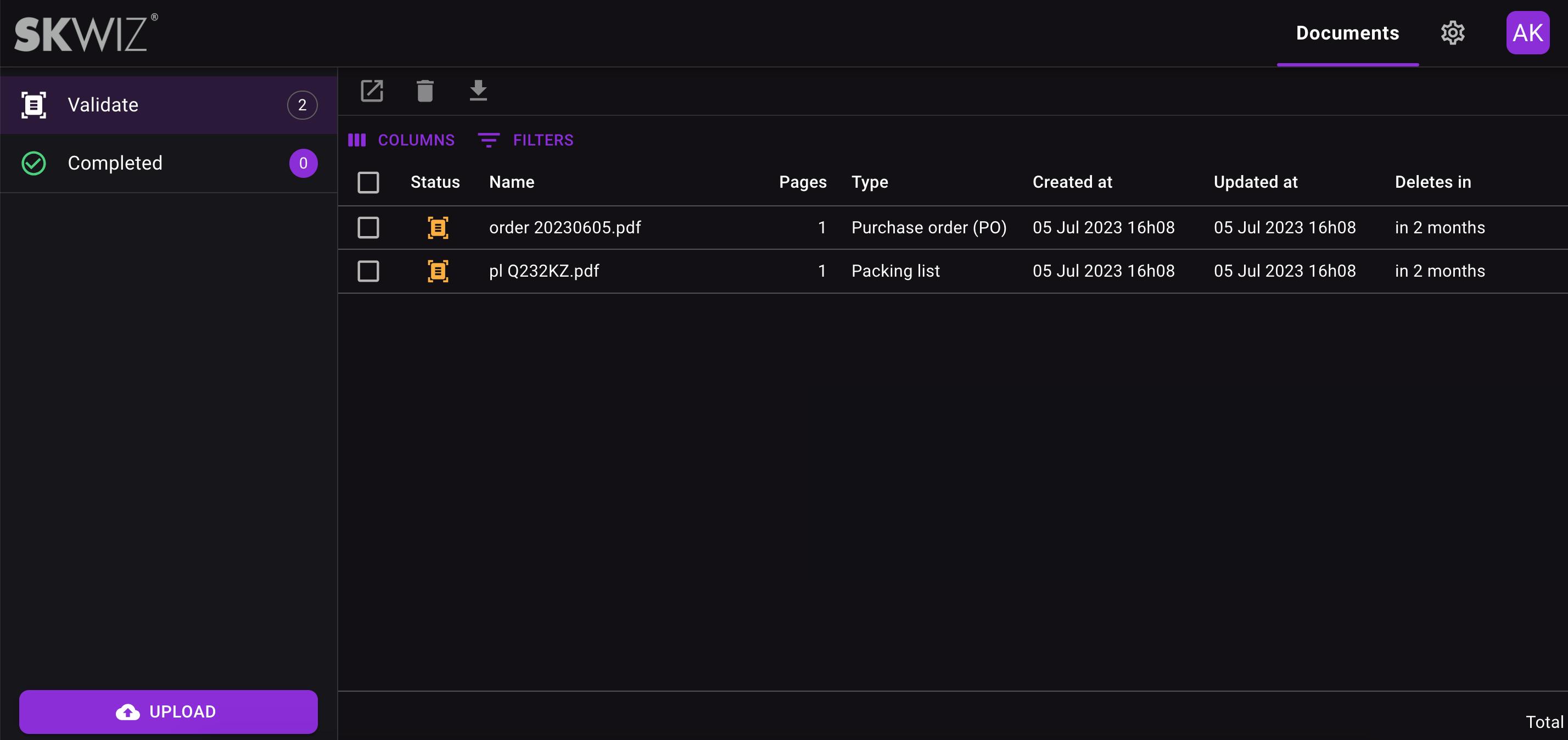
The document overview allows you to upload documents by drag-and-drop and shows all documents per status. The “Validate” status includes all documents that have been extracted and require manual validation by a user. After validation, documents move to the “Completed” status.
You can configure it to skip the manual validation step in the document type settings, making documents directly transition to the “Completed” status after extraction.
Document validation
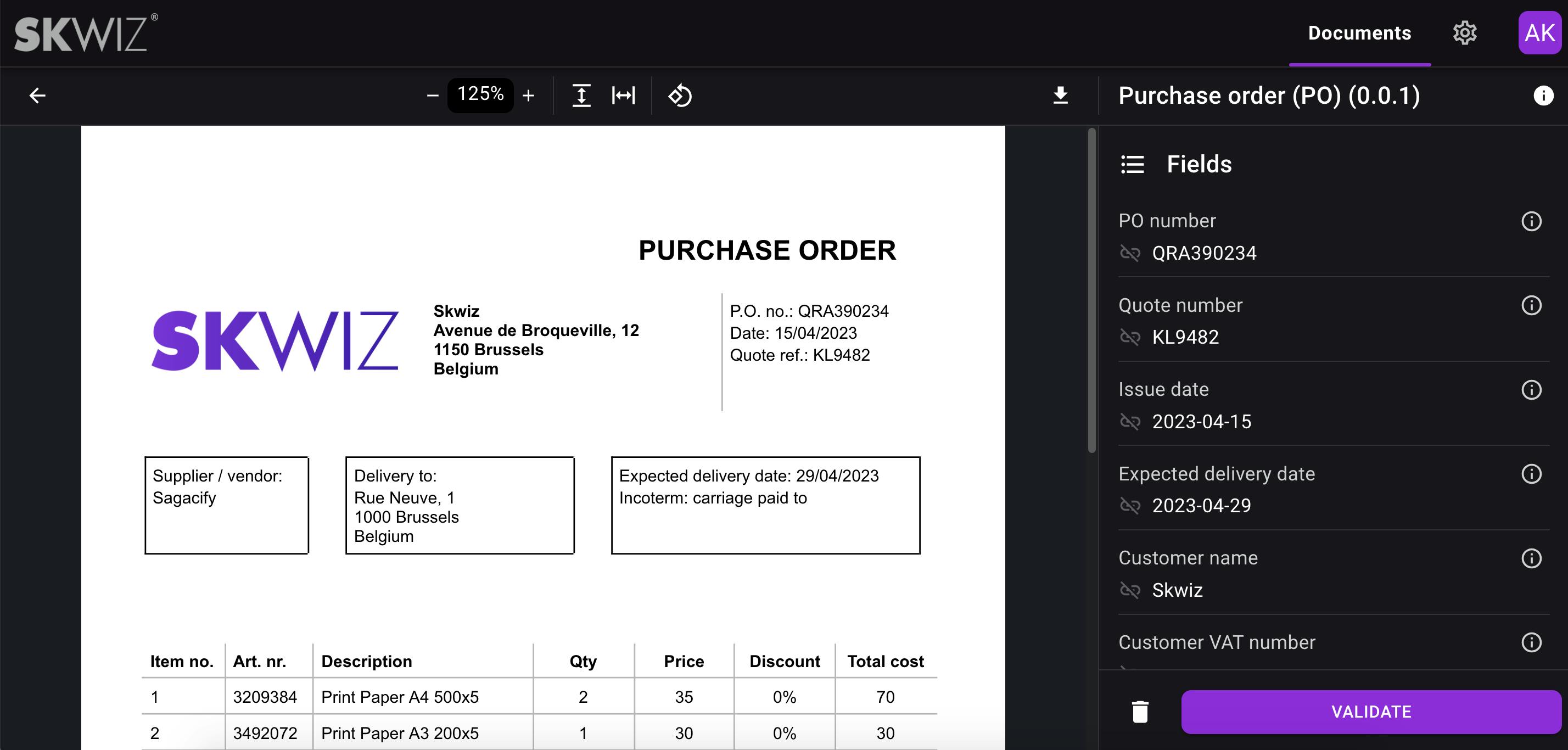
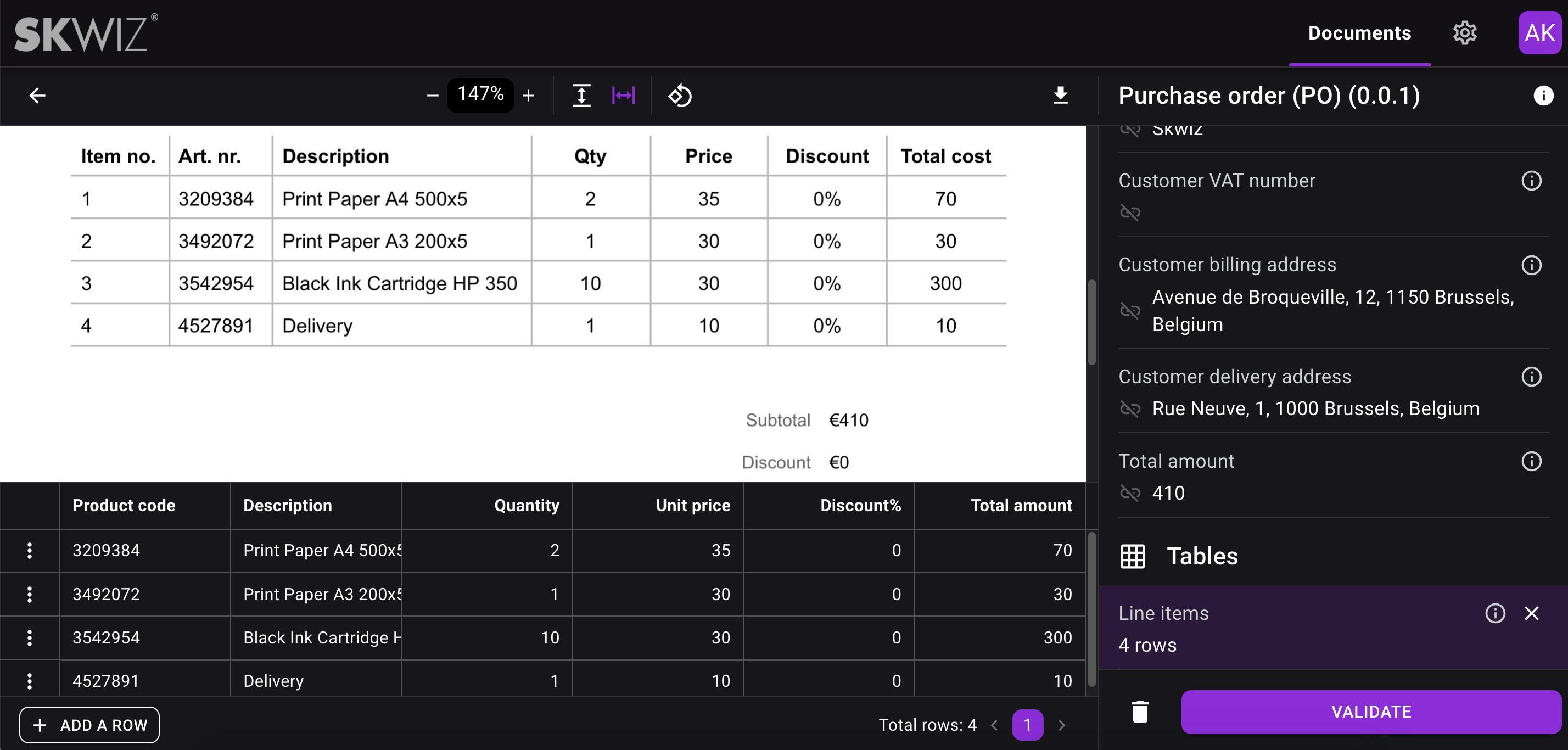
You can modify the values of extracted fields as well as data extracted from tables by selecting text directly on the document, avoiding the need for typing. You can also add or remove rows in the table output grid. Validating a document will put it in status “Completed”.
Documentation
Skwiz has its own documentation, which in a first version is focused on helping you optimize the quality of your document extractions. This can be achieved by following the naming conventions, understanding the various field types available, and providing additional instructions for each field that requires optimisation.
API & its documentation
The Skwiz API offers asynchronous extraction. You can generate multiple API keys.
The following routes are available and described in the API documentation:
- Asynchronous extraction: upload your document
- Get document extractions: retrieves the status and extracted values (if available) of 1 document
- Get documents status: retrieves the status of one or more documents
We will soon add a webhook so that you’ll be able to receive the data from each document as soon as it’s extracted or validated in Skwiz.
Manual export
You can manually export the extracted data from documents into excel or JSON files, along with the documents themselves. To do this, simply select one or multiple documents from the document overview and click on the export icon located above the list. Alternatively, you can directly export a document’s data from the document validation screen.
Document auto-deletion
Skwiz’ main purpose is to extract information from documents and provide you access to the data, without serving as a system of records. By default, documents are stored for 2 months, providing you with sufficient time to validate the documents and access the extracted data. You can reduce the retention period in the settings, and documents can be manually deleted at any time from the document overview.