01 Aug 2023
Classification of documents, fields and line items
Introduction
You can now use classification, also known as categorisation, on multiple levels of your documents.
Document classification
Automatically identify the document type of any document you upload, for example:
- “ID card” vs “Driver’s license” vs “Residence permit”
- “Invoice” vs “Receipt”
- “Invoice” vs “Other”
Field classification
Automatically categorize a document’s content, for example:
- The expense category on a receipt: “Hotel” vs “Restaurant” vs “Transport”
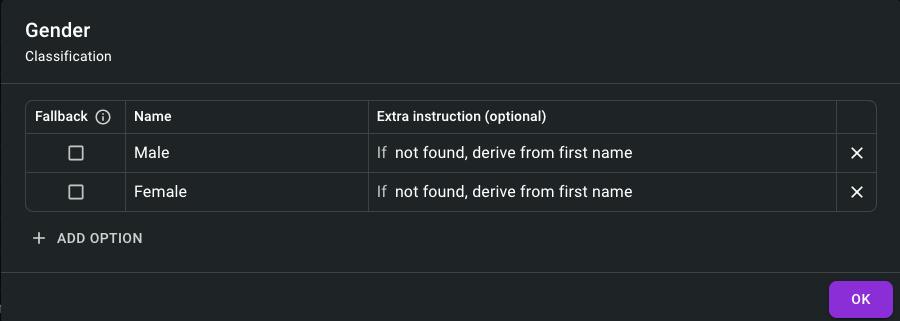
- The gender on an ID card: “Male” vs “Female”
- The type of a bank card: “Credit” vs “Debit”
Line item classification
Automatically categorize each line of a table, for example:
- The category of each line on an invoice: “Goods” vs “Services”
- The liability of each claim in a claims history letter: “Liable” vs “Not liable” vs “Shared liability” vs “Unknown”
Any of these classifiers can be set up within minutes.
Other changes
- Improved table extraction, most notably for tables containing empty cells
- Improved handling of dates: corrected the issue with certain dates not being parsed
- Improved field type True/False: merged configuration and behavior with field classification
- Added the document type key in the document definition modal
Document classification
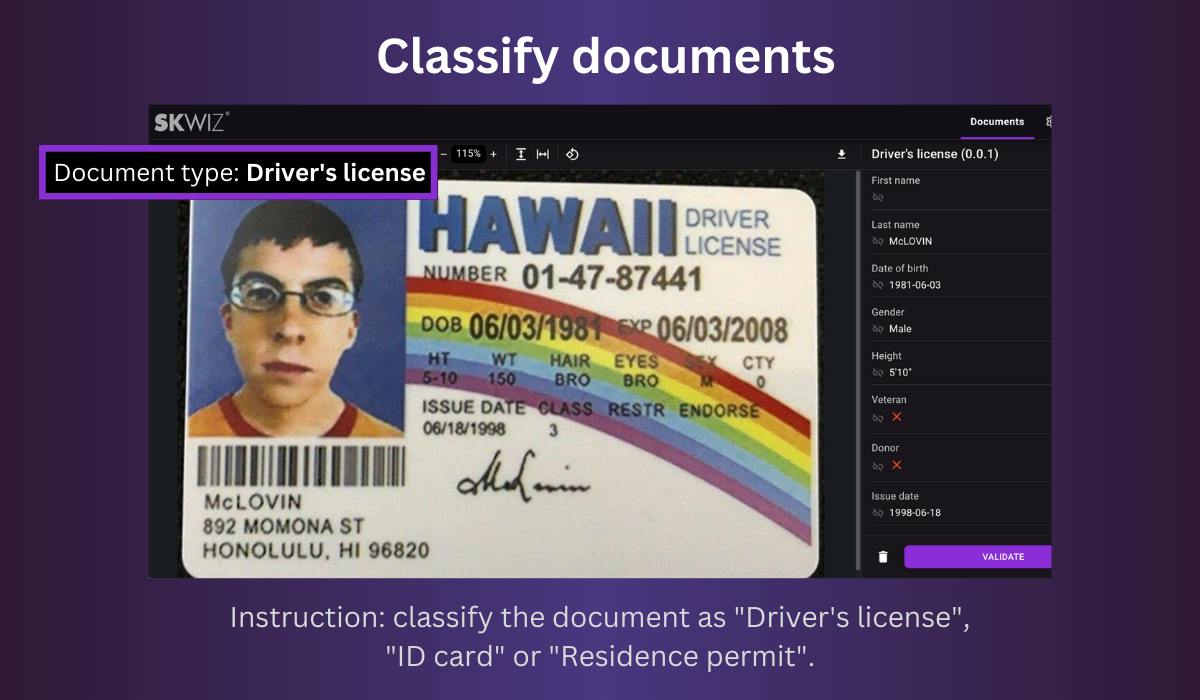
To automatically identify the document type of the documents you upload to Skwiz, you can build a classifier between 2 or more document types.
After defining what sets different document types apart, Skwiz can automatically distinguish one document type from another. Here is an example of descriptions that can be used to distinguish invoices from receipts:
- "Invoice": contains information about both the seller and buyer, often contains a reference to invoice, facture, factuur, Rechnung, factura, etc. and typically contains bank information
- "Receipt": shorter information which typically only contains information about the seller, and not about the buyer
You can set one of the options as fallback to assign this document type if no specific type can be determined.
It is possible to build multiple classifiers in case Skwiz is supporting multiple of your workflows.
Field and line item classification
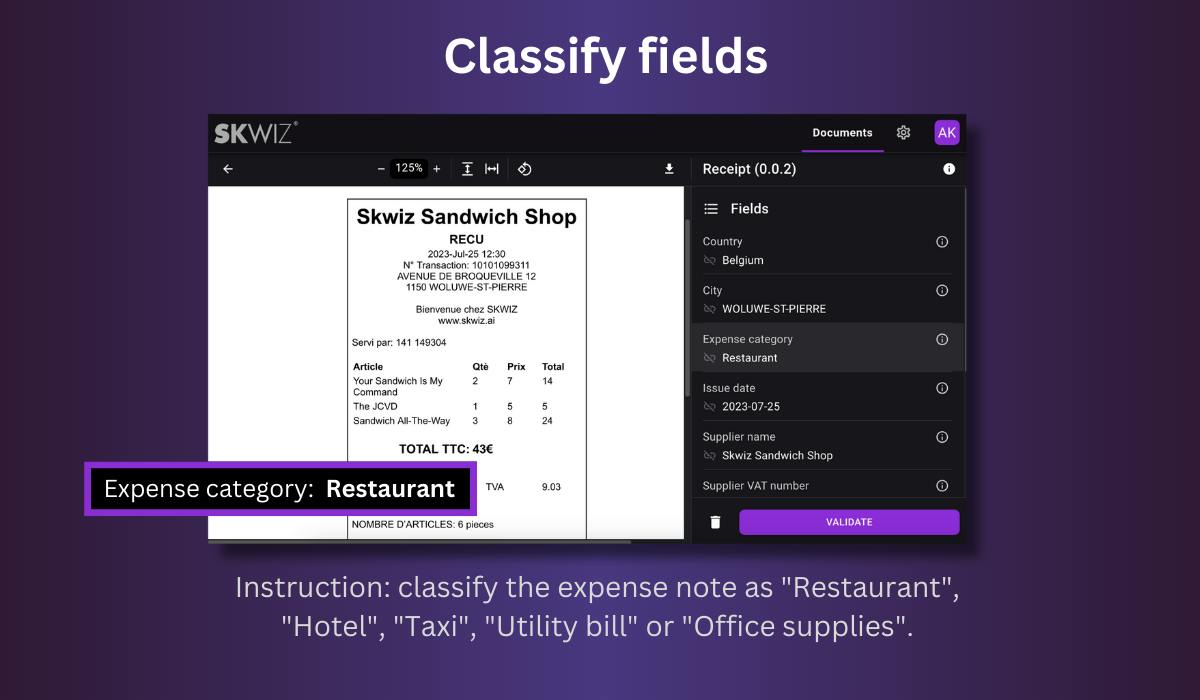
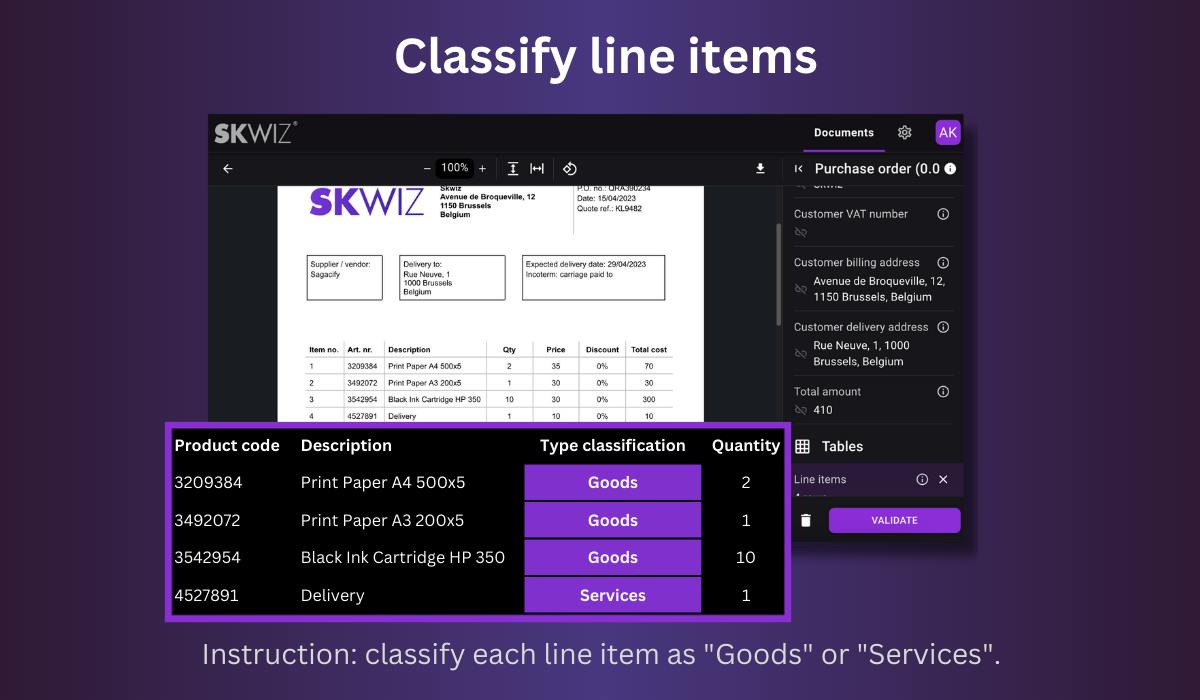
To classify a field or a line item, set its type to Classification and define 2 or more options. Optionally, extra instructions can be provided for more complex cases.
Set one of the options as fallback to return this value if no specific value can be found.